Social Search · for YouTube channels
Ctrl+F for your YouTube channel.
Words, scenes and sounds. Search years of uploads by text, image, voice or audio, and land on the exact moment.
Try a search
Type a word, a phrase or a question.
Showing 3 sample results for football.
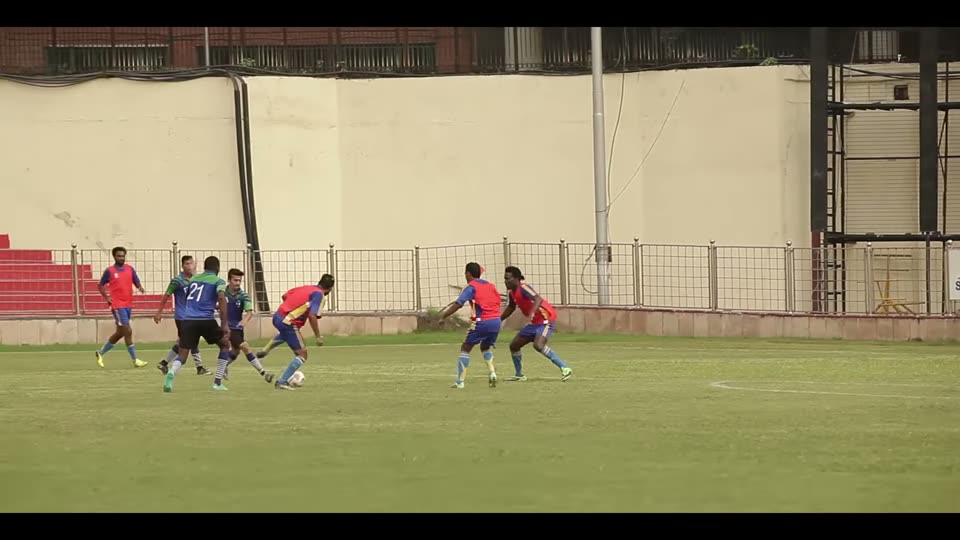
- Matchday highlights12:41
a striker takes a shot from the edge of the box
- Training ground diary03:08
players contest the ball during a practice game
- Post-match talk27:15
the coach explains the second-half change
Sample content. Titles, timecodes and matches are examples, not a real channel.
Type. Show. Say. Play.
Four ways in. All of them reach the same index.
Text
Any spoken word or phrase, in its own language, found at the exact second.
Image
Describe a scene or drop in a photo. Places, objects and on-screen text are searchable too.
Voice
Say what you are looking for. No typing, and it works in your language.
Audio
Play a sound or a short clip and find where else it appears across the channel.
Your videos hold more than their titles.
Channel search is built around titles and descriptions. Finding a word, a scene or a sound inside years of uploads is a different job.
Looks at
Typical channel search: Titles, descriptions, tags
Social Search: Spoken words, on-screen visuals and sound
Search with
Typical channel search: Typed keywords
Social Search: Text, image, voice or audio
You get
Typical channel search: A list of videos
Social Search: The exact moment, with timecode
Questions
Typical channel search: Limited
Social Search: Ask in plain language and jump to the source
Comparison with keyword search on titles and metadata.
Five tools. One archive.
Import a video once. Everything below works on the same index.
Search
Search the words spoken in your videos. Results open at the right second.
Visual search
Find a scene, an object or text on screen.
Ask
Plain questions. Answers that point back to the moment.
Recap
Turn a long talk, match or session into a recap you can read or share.
Compile
Assemble the moments you found into a new video, without an editor.
Four steps to searchable.
- 1
Connect
Sign in with Google and pick the channel. Only the channel you choose is connected.
- 2
Choose videos
See your uploads in Deepgrip, with already imported ones marked. Select what to bring in.
- 3
Index
Each video is transcribed, split into shots and indexed for text, visuals and sound.
- 4
Search and use
Search, ask, recap and compile. Every result opens at the right second.
Imported videos appear in your Library straight away. They show as still indexing until all indexing is finished, and become searchable only then, so results are never half complete.
“I know it’s in there somewhere.” Now you can find it.
YouTubers and creators
Find the video where you reviewed the budget phone, then compile a clip from it.
Podcasters
Find a guest quote, jump to the moment and pull clips for social.
Media and broadcasting
Bring archive footage back the moment a story returns.
Spiritual and faith organisations
Turn years of talks into a library people can ask questions of.
Education and training
Jump to where a concept is explained instead of rewatching a lecture.
Sports clubs and leagues
Pull the goals and team talks out of full-match streams.
Government and public service
Answer citizen questions from your own briefings, with the source attached.
NGOs and documentary teams
Keep field stories and impact films findable.
Before you connect
Which videos get indexed?
The ones you choose. After you connect your channel, you see your uploads and select which to import. Videos already imported are marked, so nothing is brought in twice.
When can I search a new video?
A video shows in your Library as soon as it is imported. It becomes searchable once transcription and indexing have finished, which keeps results complete.
Does it replace YouTube Studio?
No. Studio manages your channel and its analytics. Deepgrip makes the content of your videos searchable and usable.
Who can see my imported videos?
Imported videos live in your own Deepgrip workspace and you decide which people can see them.
See it on a channel like yours.
Tell us about your channel and what you need to find. We show the search live and answer your questions. You choose the channel and which videos are imported.
Footage credits
Sample footage on this page is used under free licences: One Goal: African Footballers in India by Indian Diplomacy (Ministry of External Affairs, Government of India) (CC BY 3.0); A Spiritual Journey: The India 100 by Incredible India (Ministry of Tourism, Government of India) (CC BY 3.0); Destination: Mumbai, India by Incredible India (Ministry of Tourism, Government of India) (CC BY 3.0); Adventure: India by Incredible India (Ministry of Tourism, Government of India) (CC BY 3.0); Blockprinting in Bagru, India by Incredible India (Ministry of Tourism, Government of India) (CC BY 3.0). Trimmed, audio removed, scaled and re-encoded. All footage credits.